Peakwms
How do I see orders that have no shipping method?
You can easily see the orders that need a shipping method before they can be shipped. If you select "Orders" in the left menu, you will get an overview of all your orders. All orders are shown here regardless of status.
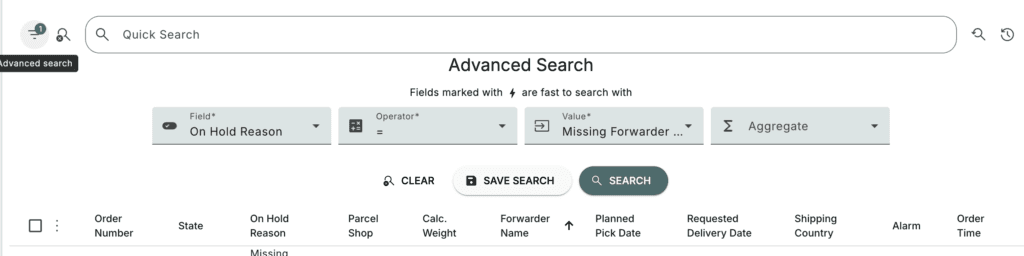
If you then click on the small "funnel" icon to the left of the search bar, you can perform an advanced search:

In the fields, select "On Hold Reason" under "FieldID" and "Missing Forwarder Product" under "Value". This will give you an overview of all orders that are missing shipping methods before they can be shipped: