
Demand planning in Peak
Peak knows your sales data for your products to perfection - which also means you can use it to make incredibly accurate recommendations for how much to buy. How to use Peak's demand planning in your business:
-
Select "Purchasing"
-
Select "Purchase order"
-
Select "Purchasing needs"
-
Fill in the information below. We recommend these settings for a "normal" period and webshop
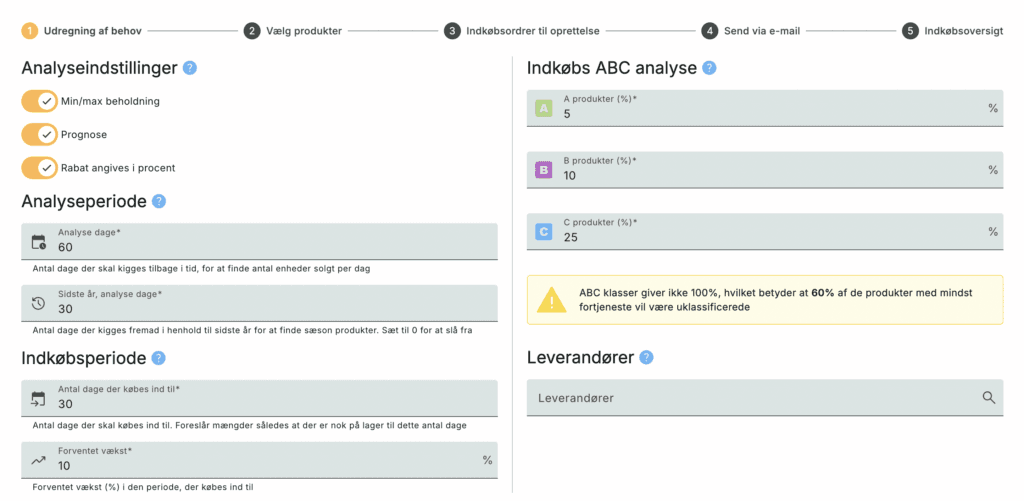
- Peak now automatically calculates your demand based on your history
-
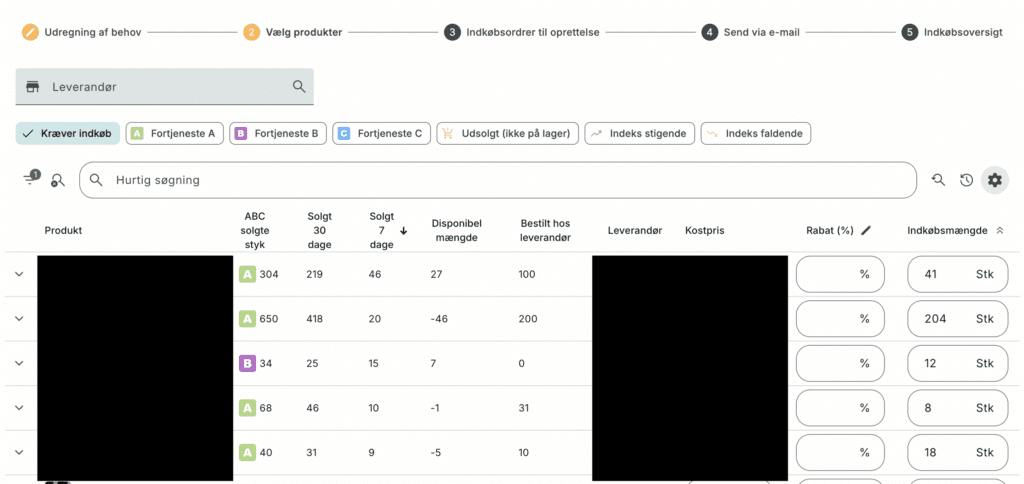
You can segment by A, B or C items, see your normal cost price, which supplier and which purchase quantity Peak recommends you. You can also adjust the purchase quantity yourself if you disagree with the recommendations
-
Now tap on the items you want to buy so they turn green
-
Press "select products" when you have selected them all
-
Peak will automatically create a purchase order based on the selected items and quantity