
Peakwms
How do I manually download an order from Shopify to PeakWMS?
You can ask PeakWMS to load an order from Shopify via an order ID.
You'll find a Shopify order ID in the URL after "/orders" when you're in the order in Shopify.

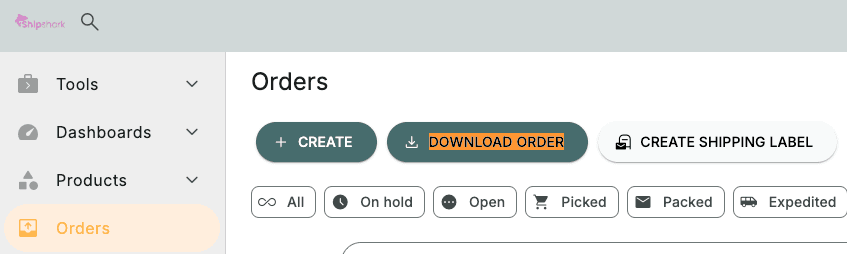
In PeakWMS, you can then press "DOWNLOAD ORDER" under orders
Under integration, select your online store and as "Order Number" enter the Shopify ID you copied, then press "SUBMIT".
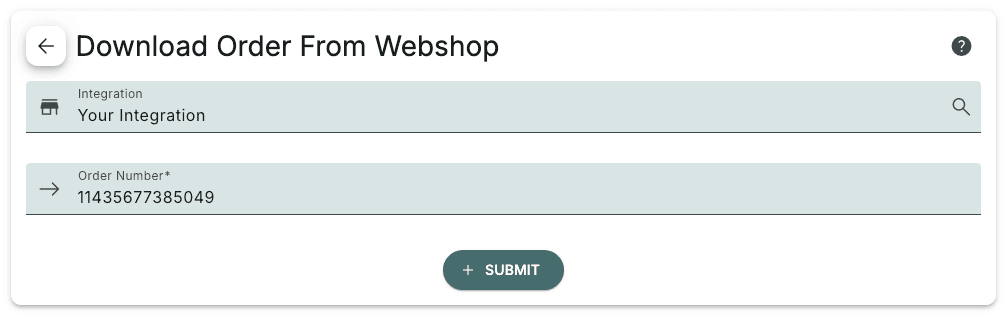
Now you will be able to find the order in PeakWMS if it is not listed as fulfilled in Shopify.
Note that this only works if you are on a Shopify plan that supports automatic order loading. See more here: Which Shopify plan?