
How to create shipping methods
How to create new shipping methods:
If you go to "Settings" -> "Integrations" -> "Forwarder configuration" in PeakWMS and select your freight integration:
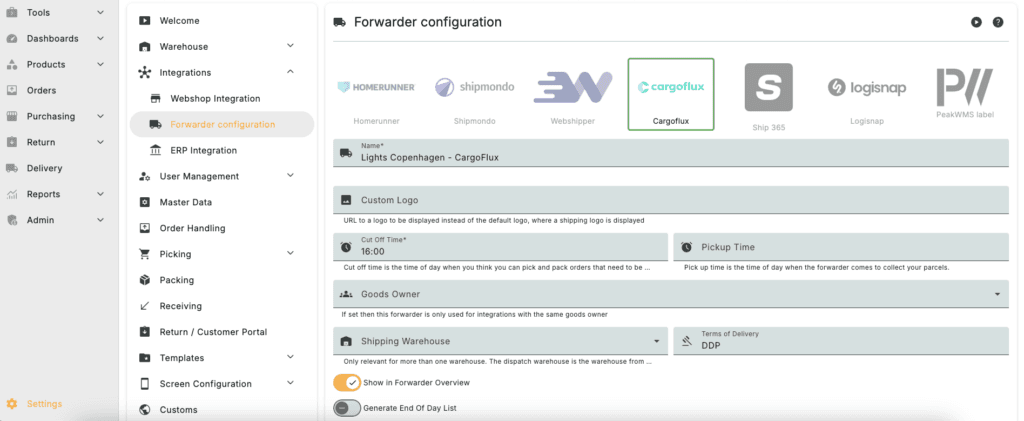
Here under "Forwarder Products" you can see the shipping methods set up for your webshop.
"Host Id" is the name that comes from your Shopify store to PeakWMS.
"Product code" is the Cargoflux product that the shipping method is linked to.
And "Type" is the type of shipping method, e.g. home delivery.

If you click the plus icon to the right of "Forwarder Products" you can create a new shipping method.
How to see the orders that are missing shipping method
In PeakWMS, you can search for orders that lack a shipping method with these search filters:
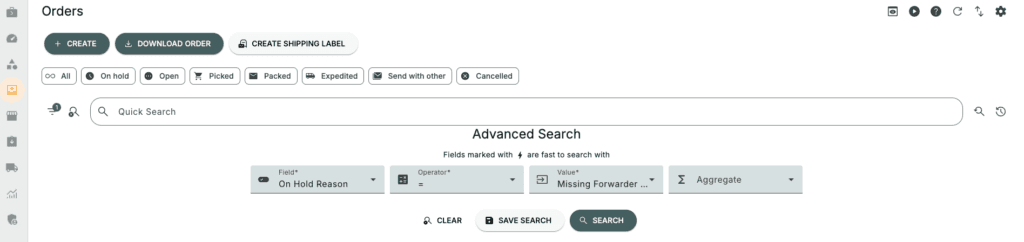
Under the "Value" field, select "Missing forwarder Product".
How to create a shipping method directly inside the order
If an order is missing a shipping method, you can also create it directly inside the order. This is the same as creating it under "Forwarder products" like above. An order that lacks a shipping method has an "ASSIGN SHIPPING METHOD" button.

Clicking that button will open the popup below. It already has the shipping name automatically filled in, so all you need to do is select the shipping product and shipping type.
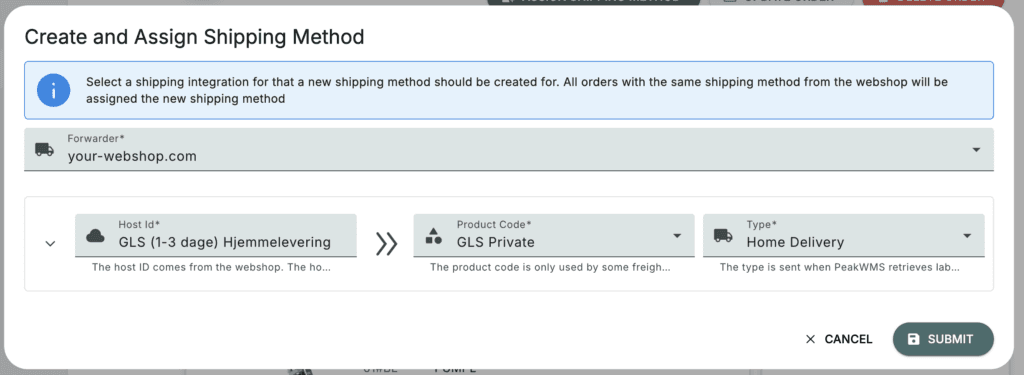
In this example, the order comes in with the shipping name "GLS (1-3 days) Home delivery" and goes into error. It gets an error because the shipping product "GLS (1-3 days) Home delivery" is not created under "Forwarder Products" and PeakWMS doesn't know which shipping method to ship the order with. Therefore, you need to create a shipping method for each shipping name that your webshop sends to PeakWMS. This only needs to be done once for each shipment name.
How to update the orders that are missing shipping methods at the same time
Once you have created the missing shipping method(s) in PeakWMS, you can do the search above, which will show all orders with missing shipping methods. If you then select the orders you want to automatically give the newly created shipping methods, you can click the three dots followed by "Update Order". This causes PeakWMS to pull the data from your Shopify store again and connect to the correct shipping method that you just created. If you have many orders that are missing shipping methods, it may be necessary to update a few orders at a time.
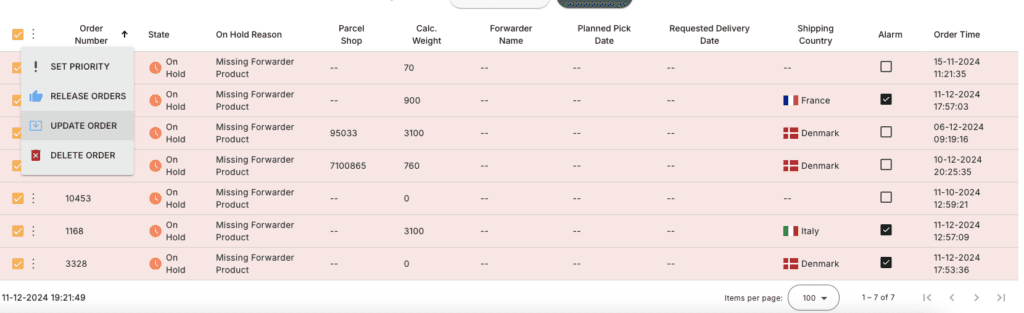
How can you see if an order is loaded with the correct shipping method?
Please note that the alerts do not necessarily disappear after you have correctly added a shipping method. It's a safety feature in PeakWMS to avoid overlooking some orders with alerts.
Once you have loaded your orders with the correct shipping method, their status should change to "released" which tells you that they are ready for picking. You can also double-check it by seeing if there is a label ready under "Labels / Documents" like so:
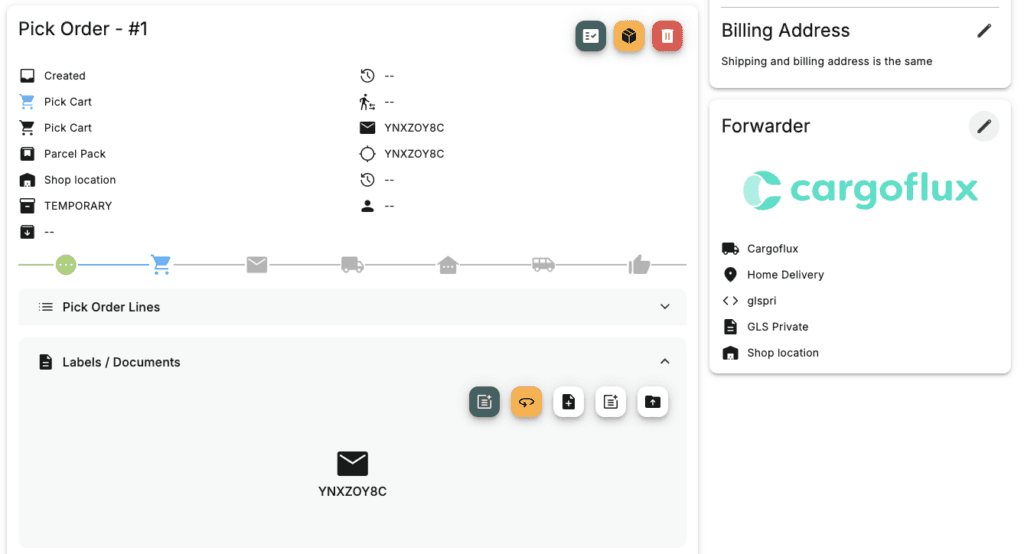
You are then free to delete the alarm on the orders.