
How to connect your shipping methods from Webshipper with PeakWMS
Before you start, create your shipping methods in Webshipper, even if you do not have CCS and only display manually created shipping methods in Shopify. First follow step 6: Adding shipping methods in Shopify.
PeakWMS then needs to know what the shipping methods are called and which type of delivery they use. Set this up once for each shipping method you ship with.
Click this link to open "Forwarders" in PeakWMS: https://app.peakwms.com/settings-onboarding/forwarders. Then select the Webshipper integration we have set up for you.
Now click the "+" icon next to "Shipping methods". If you have created shipping methods in your Webshipper dashboard, they will be shown here. You need to fill in for each shipping method you want to ship with and have set up in Webshipper. An example could look like this:
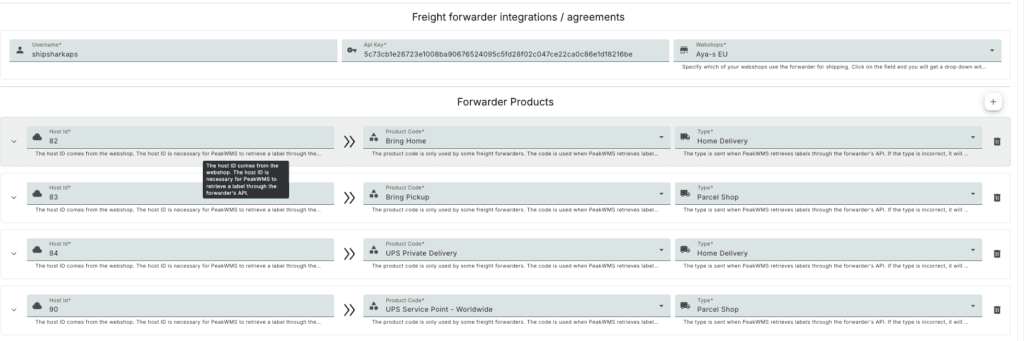
Notice that there is an ID under "Host ID", which is automatically filled in by PeakWMS when you select the "Product Code" and shipping type. If you have CCS (carrier calculated shipping) enabled, simply leave the ID from Webshipper.
If you do not have CCS:
If your shop doesn't support CCS, you need to change the "Host ID" in Peak to be exactly the name your customers choose as the shipping method in your checkout. For example, if you have a shipping method in Shopify called "GLS Nearest Parcel Shop (1-2 business days)", the host ID should be the same.
Example: Your shipping method in Shopify is called "Standard". First create the corresponding shipping method with a carrier and service in Webshipper. Then select its product code and shipping type in PeakWMS, and change the Host ID to "Standard".
Unable to select a product code? First check that the shipping method has been created in Webshipper under your Shopify integration. Entering "Standard" in PeakWMS or creating the shipping method only in Shopify is not enough.
Important. Select the return shipping method for each shipping method.
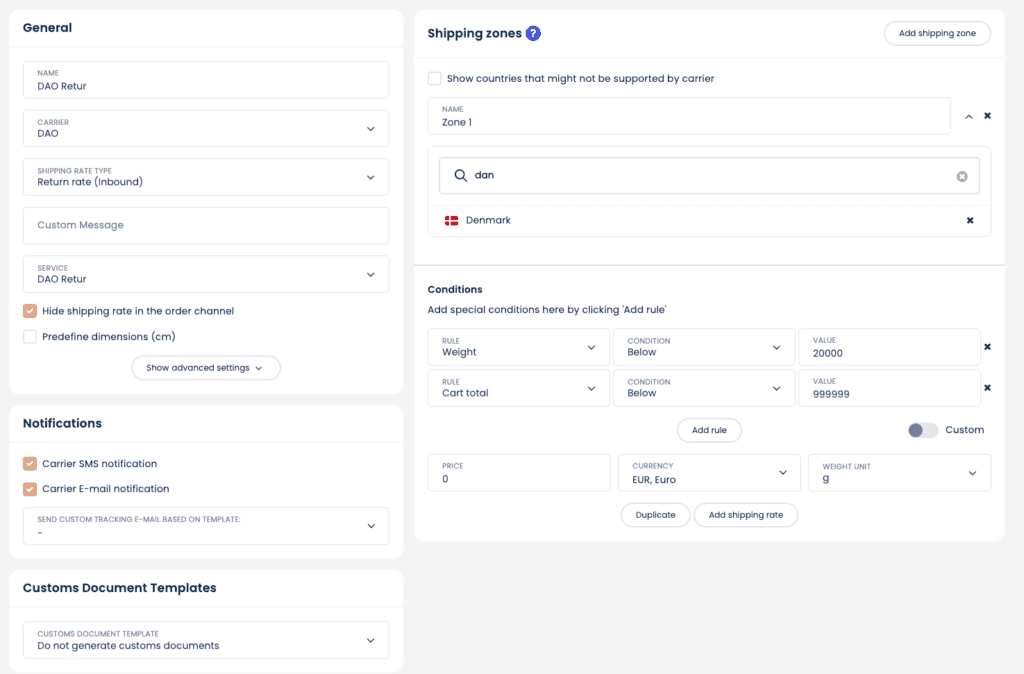
The last little trick with Webshipper is to create a return shipping method you want to offer your customers. For example, this setup for DAO:
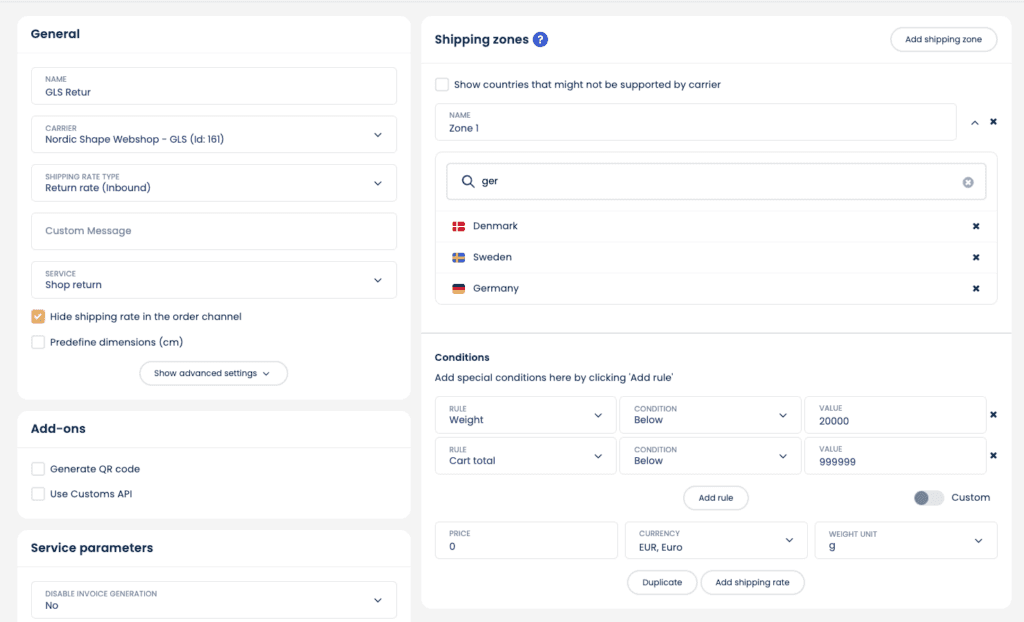
And here is an example for GLS:
Once you have created one or more return shipping methods in Webshipper, connect them in PeakWMS just like you have done for your normal shipping methods, but as a return type instead:

Finally, for each shipping method in PeakWMS, select a return shipping method. To do this, unfold the shipping setup for each shipping method and select the return product under "Return shipping method":
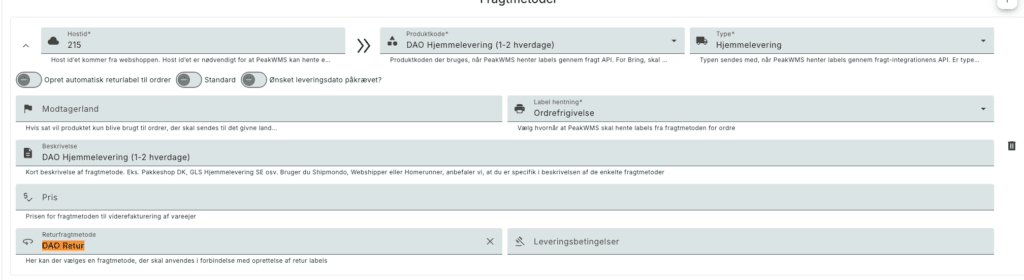
Remember to set a return shipping method on each outbound shipping method you have in your PeakWMS setup.