Create Webshipper API Token and connect with Peak
If you have a Shopify store, ShipShark sets up the API token and the connection between Webshipper and PeakWMS for you. You do not need to follow the token instructions below, which are only for advanced setups.
This only covers the API token and the connection itself. You still need to create your shipping methods in Webshipper and connect them to PeakWMS, even if you do not have CCS or do not use Webshipper in your Shopify checkout. Follow step 6: Adding shipping methods in Shopify, then the guide to connecting shipping methods to PeakWMS.
This guide shows you how to set up an API token that is scoped to your shipping methods in Webshipper.
-
In your Webshipper dashboard go to Settings -> Access and tokens -> Create API token Link here
-
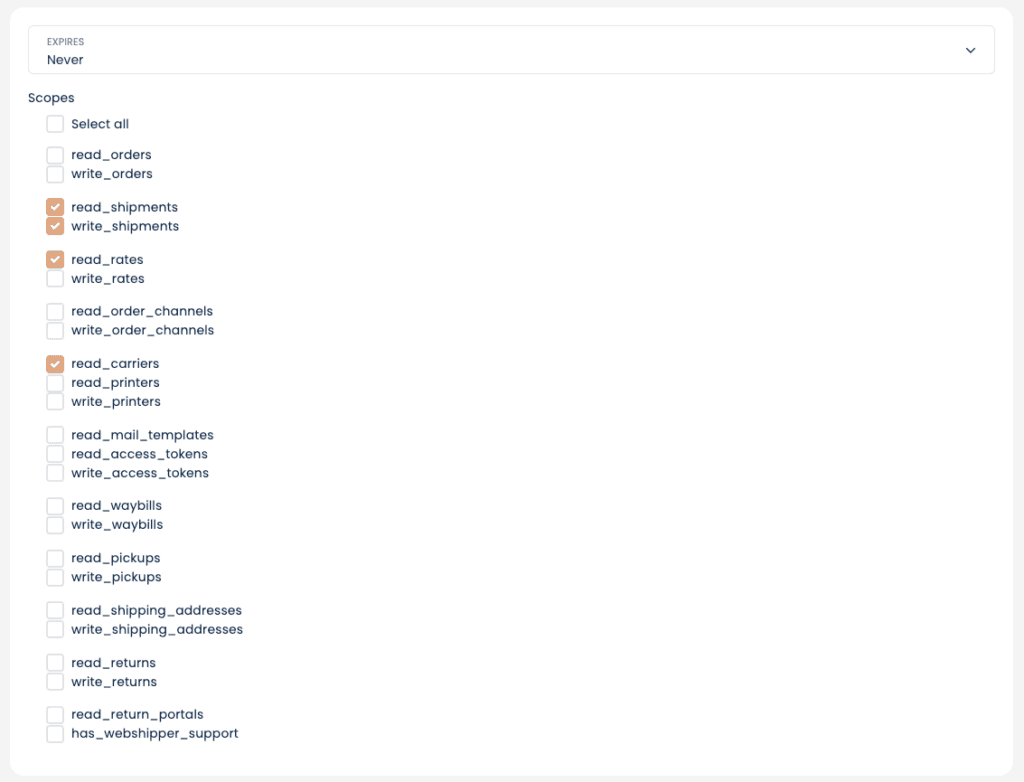
Fill in the "API Token Scopes" as shown here and press "Save" in the top right corner:
-
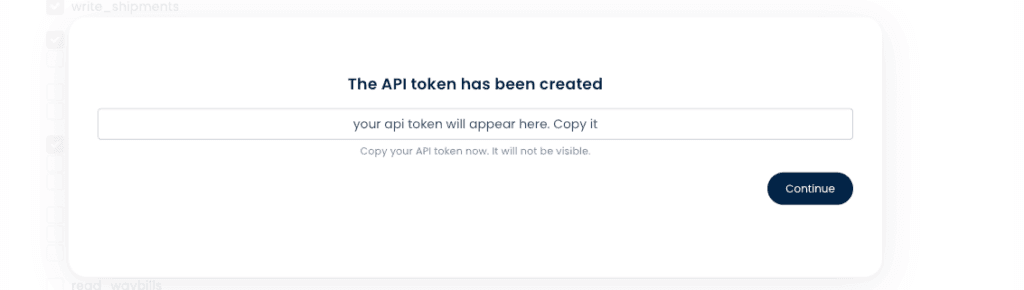
Copy the new API token on the next popup:
-
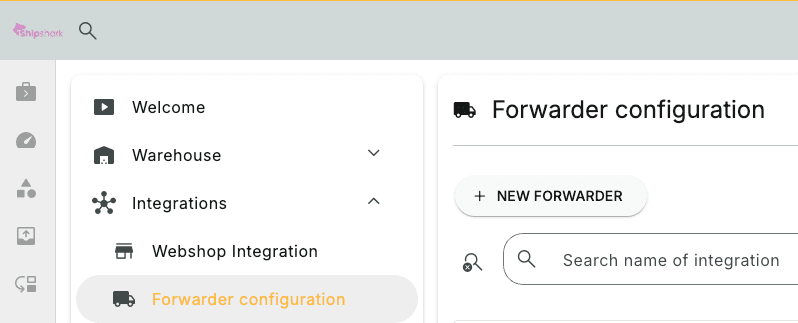
In your PeakWMS dashboard go to "Settings" -> "Shipping" and click "New Shipping" Link here:
-
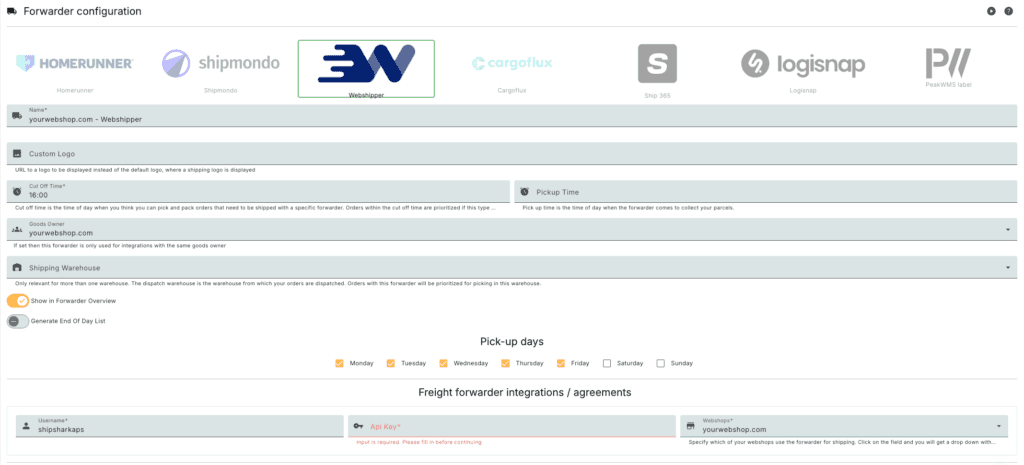
Select Webshipper as the option and fill in the fields below:
- Name add: YOUR WEBSHOP NAME - WEBSHIPPER
- Item owner: Select your account's item owner in the dropdown menu
- Username: shipsharkaps
- API Key: API token you copied from the Webshipper dashboard
- Webshops: Select which of your webshops should use this Webshipper shipping integration