Returns
How does the GLS Return QR code work?
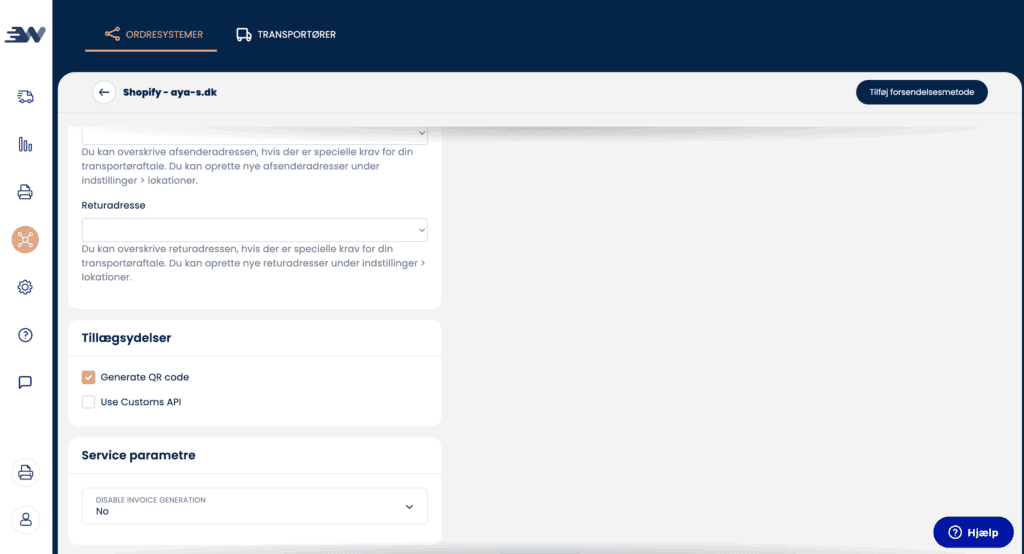
If you create a GLS return label (it doesn't work with DAO unfortunately) as usual through Peak, you can add a QR code that customers can have scanned when dropping off a return package. That way, your customers don't have to print.
Here's how you do it:
-
Log in to your Webshipper profile
-
Select your "Order channel"
-
Select your GLS Reter shipping method (if you don't have one, create it)
-
Check the generate QR code